


In September 2022 an Uber contractor kept receiving login approval requests until one was accepted and an attacker signed in. That pattern, known as MFA fatigue attacks or MFA push bombing, still works wherever staff approve sign-ins with a tap. This post is for security awareness managers who need to tell staff what to do with an unexpected MFA prompt, then train and measure it.
In short: Staff should deny any MFA prompt they did not start, report it within minutes and never approve one to make the notifications stop. Train that one response with realistic scenarios, then measure how many prompts get reported and how fast.
What MFA Fatigue Attacks Look Like
The attacker already holds a valid username and password, usually taken by malware or bought from a credential marketplace. Each sign-in attempt sends a push to the real user's phone, and the attacker keeps trying. The aim is an approval from someone who is busy, tired or confused.
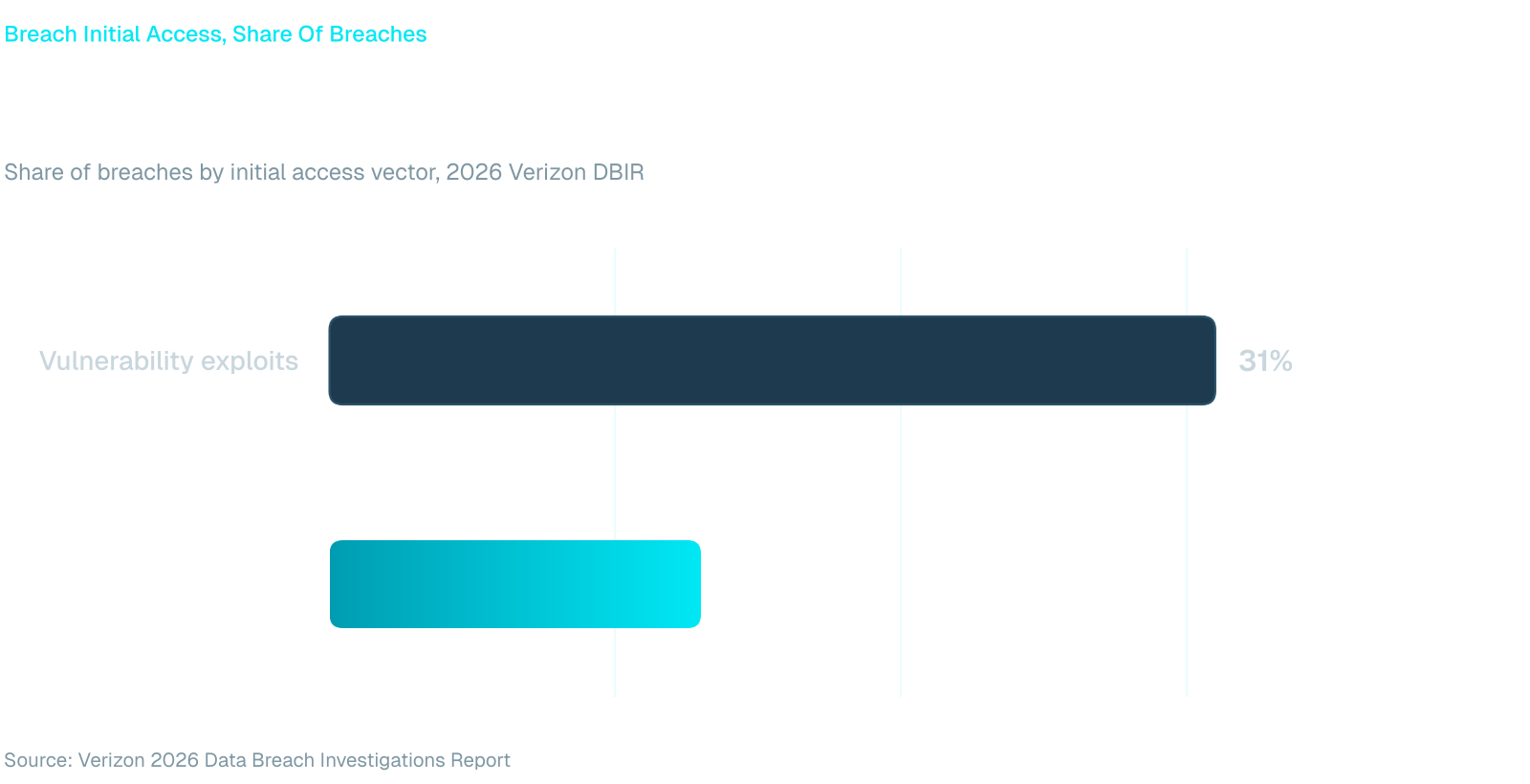
Stolen credentials remain a route in. In the 2026 Verizon Data Breach Investigations Report, abuse of user credentials was the initial access vector in 13% of breaches. Wherever push-based MFA stands behind a stolen password, the next step is a prompt on someone's phone.
The password gets the attacker to the door. What happens next is a human decision made in a few seconds, and the Uber case shows how it goes.
How One Approved Prompt Opened Uber
Uber's own security update says the attacker likely obtained the contractor's corporate password after malware infected the contractor's personal device. Each time, the contractor received a two-factor login approval request, which initially blocked access. Eventually the contractor accepted one, and the attacker logged in.
The attacker's own account, reported by TechCrunch, adds the human detail. The attacker sent prompts for over an hour, then contacted the person on WhatsApp posing as Uber IT and said that accepting the request would make the notifications stop. Once the prompt was accepted, the attacker added a device of their own.
Two things made the approval likely. The prompt looked like a task to finish, and a message from a supposed helpdesk gave it a reason. The same fake-IT pretext reaches staff through chat as well, as our post on fake helpdesk chats shows, and our post on device code phishing covers another approval staff should never give on request.
What Staff Should Do With Unexpected MFA Prompts
Staff will not remember a policy paragraph when their phone buzzes for the fifth time. Give them one rule they can repeat: if you did not just sign in, deny it. Then four steps:
- Deny the prompt. Never approve it to make the notifications stop.
- Ignore anyone who contacts you about the prompts by phone, chat or WhatsApp, even if they say they are IT.
- Report it at once through the channel your security team has named, with the time and the number of prompts.
- Expect a password reset, because a prompt you did not trigger means someone else has your password.
The last step matters. An unexpected prompt is evidence that the password is already in someone else's hands, so it is an incident and not a nuisance. On the technical side, CISA names phishing-resistant MFA as the standard to aim for and suggests number matching to block mobile push bombardment. That is an identity team decision, but ask which control is in place, because it changes what you teach.
Training MFA Fatigue Awareness
Awareness has to be practiced, because the real moment leaves no time to read. Short Codex lessons built on real-world scenarios, in Arabic and English, let staff rehearse the deny-and-report response before a real prompt flood and fake IT contact arrive. Fraus's agentic AI recommends or assigns these micro-lessons to each person from their training gaps and behavioral signals.
Role changes the lesson. A finance approver who signs in to a payment system and a field engineer on a shared device face different prompts at different hours, and Codex role-based learning paths let each group practice its own version.
Practice also needs a test. Whitebait includes MFA bypass scenarios in its phishing simulations, with reporting rate tracked next to click rate, so you can see who reports and who approves. When someone does approve something they should not have, just-in-time coaching in Microsoft Teams responds at once with training matched to the behavior. Our post on just-in-time security coaching explains how that works.
Measuring MFA Fatigue Awareness
Completion rates tell you who watched a lesson. They do not tell you what a person does at 7 a.m. with three prompts on the lock screen. Track the behavior itself:
- Reporting rate: the share of unexpected prompts, real or simulated, that staff report.
- Time to report: minutes from the first prompt to the report.
- Approvals of prompts the user did not start, taken from simulations and your identity team's sign-in logs.
- Repeat behavior: people who approve a second time after coaching.
Read these by role and department, not as one company average, so the next lesson goes where the gap is. Our guide to security awareness metrics shows how to fit them into the wider program.
Your Next Step
Go back to the contractor's phone. The approval was one tap, and the training that could have prevented it is one rule. This week, ask your identity team how many users received repeated prompts in the last 90 days, then assign a deny-and-report lesson to those groups first and run a simulation after two weeks.
Frequently Asked Questions
What are MFA fatigue attacks?
An attacker who already has a person's password tries to sign in again and again, so the person's phone fills with approval requests. The hope is that the user approves one out of annoyance, confusion or because a fake IT contact told them to. One approved prompt gives the attacker a valid session.
Is MFA push bombing the same thing?
Yes. MFA push bombing, prompt bombing and MFA fatigue describe the same technique: flooding a user with push approvals until one is accepted. The name changes between teams and reports, but the training message stays the same. Deny prompts you did not start, and report them straight away.
What should I do with an unexpected MFA prompt?
Deny it, and do not approve it to make the notifications stop. Ignore anyone who contacts you about it, even if they claim to be from IT. Report it immediately through your security team's channel, with the time and the number of prompts, and expect your password to be reset.
Does number matching stop MFA fatigue attacks?
CISA says number matching can block mobile push bombardment, and it removes the simple tap-to-approve decision. It does not remove the need for training, because staff still need to report the prompts and recognize fake IT contacts. Treat it as a control that works alongside awareness.
How do I measure MFA fatigue awareness?
Track the reporting rate for unexpected prompts, the time from first prompt to report, approvals of prompts users did not start, and repeat behavior after coaching. Combine simulation results with your identity team's sign-in logs, and read the numbers by role and department rather than as one average.