.svg)
.svg)





.svg)

.svg)
.svg)



Microsoft Teams phishing often starts with a chat message from someone who says they work in IT support. In April 2026, news reporting described security researchers tracking intrusions that began this way, with an outside account contacting employees about an account problem or a security update. This post is for security awareness managers who need to explain the pattern to staff and give them a clear way to verify and report it.
In short: attackers message employees from outside the organization, pose as the helpdesk and ask for remote access. Employees stay safe when they check the external label, confirm the request through a channel they start themselves, and report the chat at once.
How Teams Phishing Attacks Unfold
The reported pattern is simple. An account outside the victim's organization opens a chat, claims to be helpdesk staff and says something needs fixing. The pretext is an account issue or a security update, and the ask is to start a remote support session so the "technician" can help.
That session is the whole point. Once the employee hands over control of their machine, the attacker works from inside a trusted device. The researchers described the steps that followed: reconnaissance on the machine, malicious files placed in folders the user can write to, persistent access, movement to other systems, and data copied out to external cloud storage.
Nothing in that chain needs a malicious attachment or a lookalike login page. It needs one employee to say yes to a friendly request, which is why these Teams phishing attacks are a human problem before they are a technical one.
Why Microsoft Teams Phishing Works
Staff learn to distrust email from strangers. Teams feels different, because it is the place where colleagues, managers and the real helpdesk already talk. A chat window carries an unspoken sense that the sender belongs there, and a short, polite message from "IT" matches how internal support really sounds.
The numbers behind the wider problem are consistent. Verizon's 2026 Data Breach Investigations Report found the human element was present in 62% of breaches, up slightly from 60% the year before.

Verizon also reports that in phishing simulations the median click rate for mobile-centric lures such as voice and text messages is 40% higher than for email. Teams chat is not a text message, but the lesson carries over: lures that arrive as a conversation, in real time, are harder to resist than a message that sits in an inbox.
Spotting Teams Helpdesk Impersonation
Teams already gives employees one reliable signal. Microsoft's documentation says an external label appears at the top of a chat when it includes participants from outside the organization, and a label also sits beside their names. Researchers advise treating external Teams contacts as untrusted by default, and staff should be told the same thing in plain words.
A helpdesk contact that shows the external label and claims to be your own IT team is already a mismatch. Beyond that, give employees a short routine to run before they respond:
- Look for the external label on the chat and beside the sender's name.
- Be wary of urgency: a locked account, an expiring password or a security update that must happen now.
- Never start a remote support session, read out a code or share a password because a chat asked you to.
- Confirm the request through a route you start yourself, such as a ticket in the service portal or the helpdesk number on the intranet.
- Stop replying, and report the chat.
Publish the routine in Arabic and English, with screenshots of how the label looks in each Teams display language your staff use.
Reporting a Suspicious Chat
Verification protects one employee. Reporting protects everyone else, because the same account usually messages many people in the same week. If the first person to see the chat reports it quickly, the security team can warn colleagues, block the sender and check whether anyone already accepted a remote session.
Reporting has to be easier than ignoring. The Fraus Teams App puts one-tap phish reporting inside Microsoft Teams, next to Odin risk scores, policy acknowledgement and micro-training, so an employee can raise the alarm without leaving Teams.
Tell staff what happens after they report: who reads it, how fast they will hear back, and that nobody is blamed for reporting a chat that turns out to be harmless. People report more when the answer is a thank you.
Training for Microsoft Teams Social Engineering
One awareness slide will not hold up against Microsoft Teams social engineering, because the lure changes with each attacker. Training works better when it is matched to the person. Helpdesk staff, finance teams and executives face different pretexts, and each group should see examples that look like their own working day, in Arabic and in English.
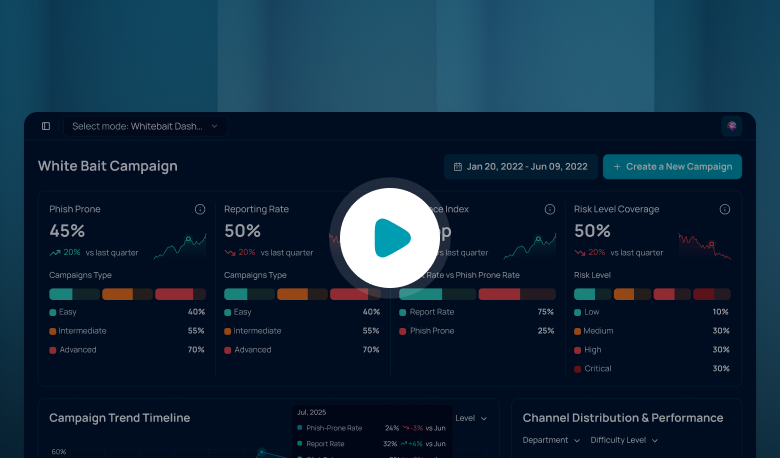
Pair that with measurement. A phishing simulation platform such as Whitebait tracks reporting rate next to click rate, and the reporting rate is the number that tells you whether staff would raise a fake helpdesk chat. Short micro-learning in Codex, in Arabic and English, can then follow up with the people who show a gap.
Your Next Step
Picture the employee from the opening, looking at a chat from "IT" about a security update. This week, write the one-page routine above, agree who owns reports of suspicious chats, and tell staff how fast they will get an answer.
Then check that every employee can find the report button in under ten seconds. If they cannot, fix that before you add more training.
Frequently Asked Questions
What is Microsoft Teams phishing?
It is the use of Teams chats, calls or meeting invites to trick employees into giving up access, credentials or data. A common version is a fake helpdesk contact from an outside account that asks the employee to start a remote support session or approve a security update.
How do I know a Teams message is from a real helpdesk?
Check for the external label first. Then confirm through a route you start yourself, such as a ticket in the service portal or the helpdesk number on the intranet. Do not rely on the chat itself to prove who the sender is.
Should employees ever accept a remote session from a Teams chat?
Not from an unsolicited chat. Your policy should state that remote access is only granted for a request the employee raised themselves, through an approved channel. Anything else is treated as suspicious and reported.
How should employees report a suspicious Teams chat?
They should stop replying and report it straight away through the route your security team has set. The Fraus Teams App offers one-tap phish reporting inside Microsoft Teams, so reporting takes seconds and happens inside Teams.
Can phishing simulation cover Teams helpdesk impersonation?
Simulation builds the habit the attack tests: pausing, verifying and reporting. Track reporting rate and time to report next to click rate, and use role-based scenarios so helpdesk-style pretexts reach the people they would target.
.png)

.png)
.png)