


An accounts receivable analyst opens an AI assistant with a customer spreadsheet in the next window and has seconds to decide what to paste and which account to use. The acceptable-use policy is open in neither window. This post is for security awareness managers building generative AI security awareness training that staff finish, remember and use at the point of the prompt.
In short: a generative AI security awareness module teaches staff which data stays out of a prompt and how to check what comes back. Build it as short role-based lessons and deliver them when the behavior appears, not once a year.
What Generative AI Security Awareness Training Must Teach
Start with the decision, not the technology. At the moment of use, an employee makes a few choices: what to paste, which account to sign in with and what to do with the answer. A module that explains how models work helps with none of them.
NIST's Generative AI Profile extends its AI Risk Management Framework because generative AI brings risks that earlier software did not. Use it as the backbone for what you cover, then cut the employee-facing version down to the behaviors that matter in each job.
For where staff leak data into unapproved tools and what to measure about it, read our post on shadow AI risks.
Teach the Data Rules Staff Can Apply
Staff need a rule they can apply in two seconds, which rules out a long acceptable-use policy. Sort company information into a few labeled classes and give each one a single answer for AI tools: never, only in the approved tool, or fine. Reuse the labels people already see on documents so nobody learns a second scheme.
Personal data deserves its own lesson. The UAE Federal Decree-Law No. 45 of 2021 on the Protection of Personal Data requires personal data to be collected for a specific, clear purpose and limited to what that purpose needs (Article 5), and requires security measures suited to the risks of processing (Article 20). It also requires controllers to notify the UAE Data Bureau of a breach that would prejudice the privacy, confidentiality or security of personal data (Article 9). A customer list pasted into a chat window is still a customer list, and the module should say so plainly.
The account matters as much as the content. Verizon's 2026 Data Breach Investigations Report found that 67% of users accessed AI services from corporate devices through non-corporate accounts, in a year when the share of employees who use AI regularly rose from 15% to 45%.
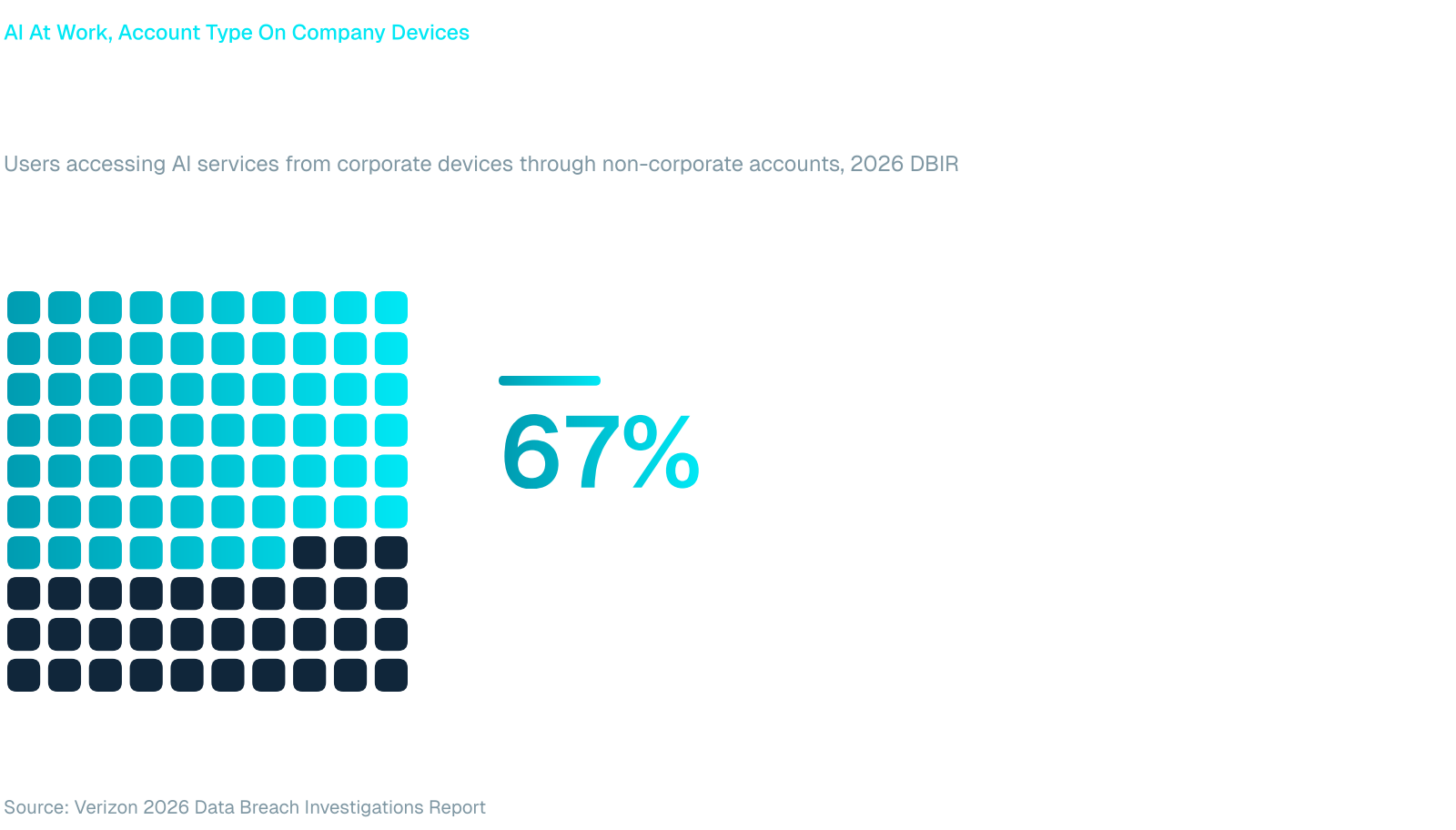
Non-corporate accounts sit outside the controls a security team can see, so the module has to explain what the approved tool and the work sign-in are for. A rule with a reason attached holds up the first time it is inconvenient.
Teach Prompts and Outputs
A prompt is a message to a system the company does not run. Teach staff to describe the task without the sensitive detail: placeholders for names and figures, excerpts instead of whole documents, and never credentials, keys or internal links.
The return trip needs its own lesson. Generated text, code and summaries are drafts from a tool that has not seen the company's facts, so staff check figures, names and sources before anything reaches a customer or a regulator.
One habit is new to most employees. The OWASP project describes indirect prompt injection as what happens when a model accepts input from external sources such as websites or files. A document or web page handed to an assistant for a summary can try to steer it. Teach it as a cousin of the suspicious attachment, with one short scenario.
Role-Based Paths and Micro-Learning
AI security training for employees works better when it follows the job. One course for everyone spends time on rules that do not apply to most of the audience and skips the ones that matter to a few. Group people by what they handle and give each group the two or three rules that fit.
- Finance and HR. Payment details and personnel files stay out of prompts unless the approved tool is used.
- Developers and IT. No keys, tokens or proprietary code in public tools, and generated code is reviewed before it ships.
- Legal and compliance. Matter documents stay confidential, and every citation is checked by a person.
- Executives and assistants. Board papers and deal material are the most sensitive things they handle.
- Customer-facing staff. Customer details and case notes never go into a public tool.
Responsible AI use training should also say what is allowed, so the approved tool feels like the easy path and not a locked door.
Codex, the Fraus security awareness training product, offers role-based learning paths and agentic AI-driven micro-learning in Arabic and English, with content on Shadow AI and GenAI risk. Each rule above takes minutes to teach, which suits short lessons built into everyday work. Our guides to role-based training and microlearning cover the method.
Deliver It When the Behavior Shows Up
A single launch module teaches the rules once while the tools keep changing around it. GenAI data protection training lands better when it follows the person and arrives close to the moment of risk.
Zero-Touch Training in Fraus responds when a person's behavior shows a risk, with matched training delivered inside Microsoft Teams in the flow of work. Agentic automation rules can assign a lesson, a policy or a poster to an audience when a data loss prevention event fires, and higher-stakes actions wait for analyst approval. The post on just in time coaching shows what that response looks like.
Measure behavior, not only completion. Watch how often staff use the approved tool instead of personal accounts, how many data events follow a lesson, and how quickly people report a prompt or file that looked wrong. Completion shows who clicked through the module and the other signals show whether it worked. Our security awareness metrics post covers how to run a program on them.
Start With One Role and One Rule
Employees are already using these tools, and many sign in through accounts security cannot see. The first lesson does not need a full curriculum. Take the group that handles your most sensitive data, write the rules that apply to them, and build a five-minute scenario around the one they are most likely to break.
Run it, watch what changes in the approved-tool and reporting signals, then repeat for the next role.
Frequently Asked Questions
What should generative AI security awareness training cover?
It should cover which data never goes into a prompt, which accounts and tools are approved, how to check generated output before using it, and how to treat files or web pages handed to an assistant. Add one lesson on personal data, since that is where regulatory exposure sits.
How long should a responsible AI use module be?
Short enough to finish inside a working day without a calendar block. Split the topic into brief lessons, one rule or scenario each, and send them by role. Several small lessons that match the job are easier to remember than one long course on everything.
Do all employees need the same AI training?
No. Everyone needs the same core data rules, but developers, finance, legal and customer-facing teams each handle different material. Give every group the core lesson plus the two or three rules specific to their work, in Arabic or English as the person prefers.
How do we measure whether GenAI data protection training works?
Track behavior after the lesson: use of the approved tool compared with personal accounts, data events tied to AI tools, and how quickly staff report something that looked wrong. Completion rates show reach, but changes in these signals show whether people act differently.