


Somewhere in your reported-phish mailbox sits a lure that no template in your library matches, with a new brand or a new pretext. Rebuilding it by hand takes time, and the lure may stop circulating before the template is approved. An AI phishing template generator closes that gap, and this post is for security awareness managers who want to know how it works and what to check first.
In short: A generator reads a screenshot or a prompt and drafts an editable simulation template. Speed is the gain. Safety comes from review, so strip live links and real names and test the template before it goes out.
How an AI Phishing Template Generator Works
A generator takes one of two inputs, a screenshot of an email or a written description of the scenario. The model reads the layout, wording, sender style and the request being made, then writes the email as editable HTML with placeholders for details such as the recipient's name and dates. A person changes what needs changing and the draft moves on to review.
Dolus AI Studio is the Fraus phishing simulation template generator. It turns an email screenshot or a prompt into an editable template, and the editing step matters as much as the generation step, because the draft is a starting point for a person to refine.
The usual worry is whether a machine-drafted email is convincing enough to test anyone. In a randomized test of 101 volunteers by a team that included Bruce Schneier, emails written entirely by an AI tool were clicked by 54% of recipients, the same as emails written by human experts. Reviewed AI drafts reached 56%, and generic phishing emails in the control group reached 12%.
That study looked at how attackers could use the technology, and our post on AI phishing attacks covers that side. For a defender, the same result means the draft is unlikely to be the weak point. Your effort belongs in the review that follows, which is where the next two sections spend their time.
Screenshot to Phishing Template, Step by Step
The screenshot route suits the phish already sitting in your reported mailbox, because the real lure holds the pretext and layout your staff will meet again. Work through it in this order.
- Take the screenshot from the reported copy, without opening any link in it.
- Crop or blur the recipient's name, mailbox and any account numbers.
- Generate the draft and compare it with the original for layout, tone and the request being made.
- Replace every link and attachment with your simulation's own tracking link and landing page.
- Change the sender, amounts and reference numbers to fictional ones.
- Send a test to a small internal group before the real audience.
A prompt covers what a screenshot cannot, such as a lure from a threat briefing, a pretext tied to one role, or a scenario that has not reached your inbox yet. Describe the sender, the request and the deadline, then edit and review the draft the same way. Both routes end at the same place, a draft that still needs a human decision.
Guardrails for AI Email Simulation Templates
Generated drafts carry the risks of any new template plus a few of their own, so treat each one as unreviewed until a named person approves it. Five checks cover the ground.
Strip live infrastructure. A captured phish contains the attacker's real links, and a draft may reproduce them. Replace each one before the template is saved, so no recipient can reach the original site.
Check the pretext. Drop lures that exploit bereavement, salary cuts, redundancies or health results. A convincing email is not automatically a fair one, and a template that hurts staff costs the program their trust.
Keep identities fictional. Do not name a real executive, colleague or customer in the sender line or signature without approval, and keep personal data from the source email out of the template.
Read the language. A generated draft in Arabic or English can carry a stiff greeting, an odd register or a date format your staff never see. For GCC staff who read both languages, have a native reader of each approve the wording, and check that the sender style matches the mail they actually receive in the UAE and the wider region.
Record the approval. Keep the screenshot or prompt, the edits and the approver together, so you can answer later why a template went out.
The phishing simulation templates guide covers what makes a template work and the guardrails on rotation and targeting. The checks above are the ones generation adds. With them in place, the open question is when to generate a template instead of reusing one from the library.
When Generation Beats a Hand-Built Library
Generation does not retire the library. A fixed set of templates reused each quarter gives you a baseline, and a before-and-after comparison needs the template to stay the same. Keep that set small and stable.
Generation wins when a lure is new and when it is specific. A freshly reported phish can become a template the same day, and a prompt can describe a pretext tied to one role or one internal process that no library entry covers. A hand-built library cannot match that at the speed lures change.
Most of those new lures will still be ordinary phishing, so start there. The UAE Cyber Security Council said in April 2026 that more than 75 percent of cyber breaches begin with phishing emails or fraudulent messages. In the Verizon 2026 Data Breach Investigations Report, 80% of the attacks that email security gateways blocked were plain phishing, against 10% emails with malware, 5% callback attempts and 3% Business Email Compromise-style attacks.

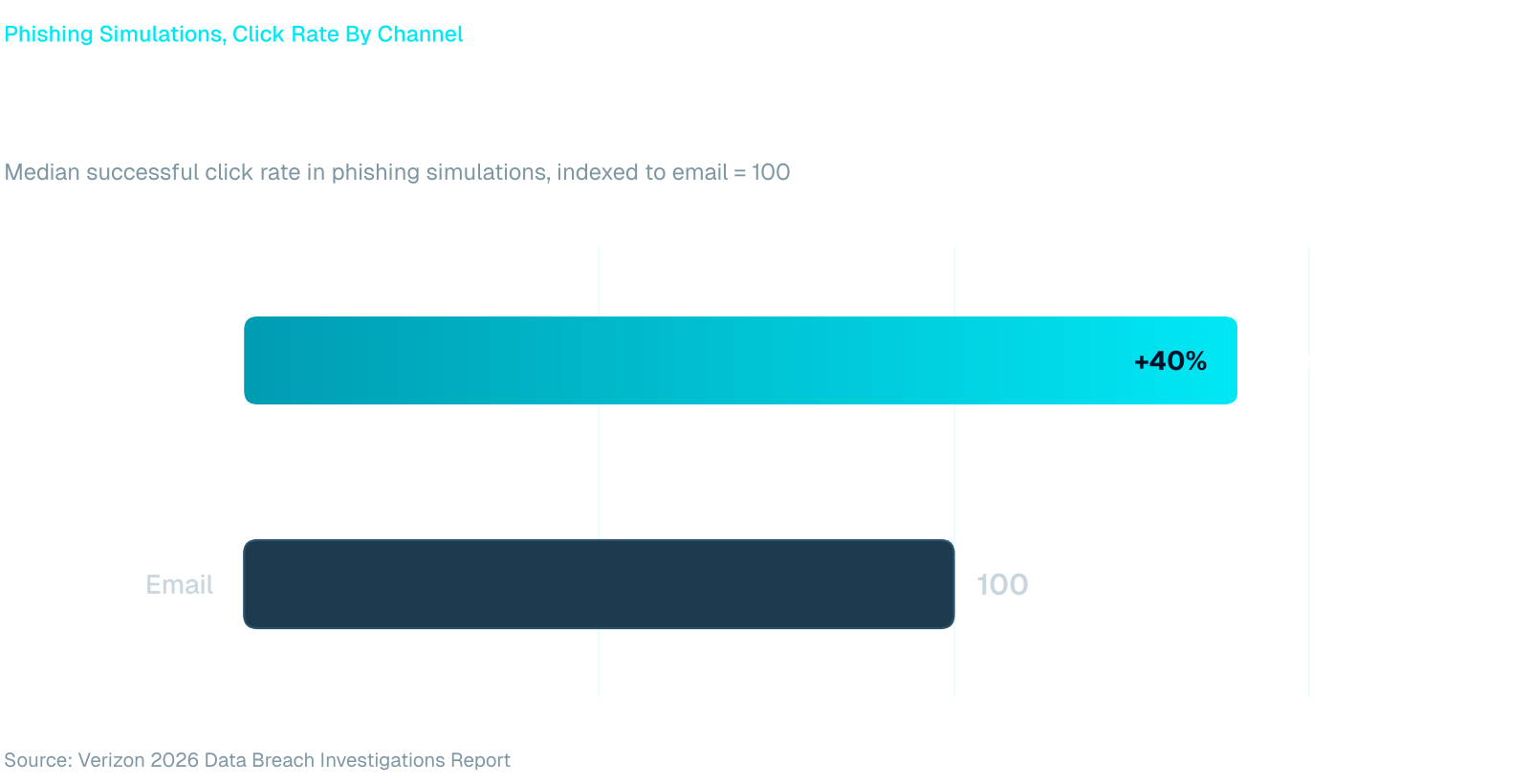
Email is also not the only channel. The same report states that 41% of social engineering breaches involve social vectors other than just email, so generated email templates are one part of a program that also covers text and phone lures.
Taken to its end, this model removes the campaign. Graybait runs a campaign-less program in which agentic AI picks or generates each employee's next simulation from their Human Risk Profile and sets its difficulty, theme, psychological trigger and timing, within the guardrails your team sets.
Start With One Reported Phish
Pick the most recent phish a colleague reported, preferably one aimed at a specific role. Generate the template, run the five checks above, and send it to a small internal group before the real audience.
When it goes out, track the reporting rate next to the click rate and compare both with your usual template. The lure waiting in your reported mailbox is the first candidate.
Frequently Asked Questions
What is an AI phishing template generator?
It is a tool that drafts a phishing simulation email from an input you give it, usually an email screenshot or a written prompt. The output is an editable template carrying the layout, wording and request of the lure. A person then reviews and edits it before it is used in a simulation.
Can a screenshot become a phishing simulation template?
Yes. Dolus AI Studio turns an email screenshot into an editable phishing simulation template. Before it is used, replace the original links and attachments with your simulation's own, remove personal details from the image, and change the sender and reference numbers to fictional ones.
Is an AI-generated template safe to send without review?
No. Every generated draft should be approved by a named person first. Check that no live link remains, that the pretext will not hurt staff, that identities are fictional and that the Arabic or English wording reads naturally. A small internal test send is the last step before the real audience.
Does AI replace a hand-built template library?
No. A fixed library gives you a stable baseline to compare results over time. Generation covers new lures, role-specific pretexts and local scenarios the library does not hold. A campaign-less program such as Graybait goes further and lets agentic AI pick or generate each person's next simulation.