.svg)
.svg)





.svg)

.svg)
.svg)

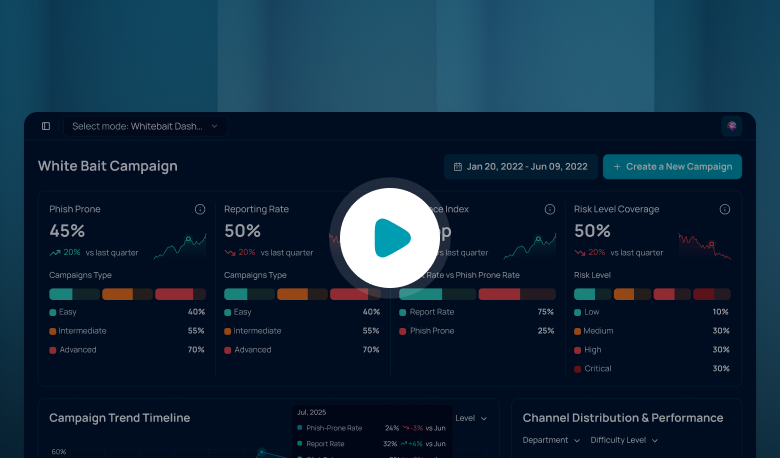


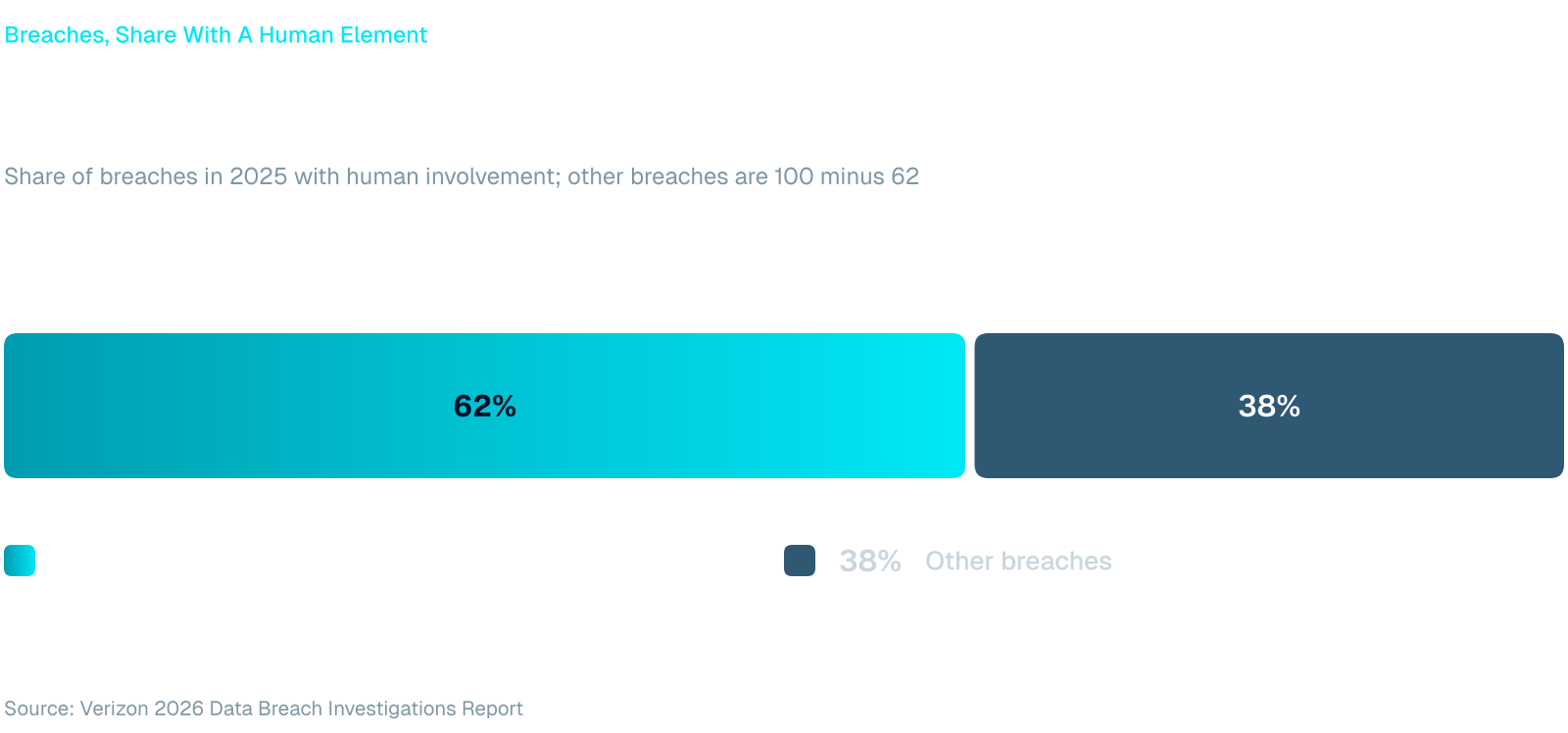
Verizon's 2026 Data Breach Investigations Report puts the human element in 62% of breaches, as reported by Help Net Security. For the security awareness manager or SOC lead who owns what happens next, the follow-up is often a person copying names into a spreadsheet and sending reminders by hand. This post shows those teams how security awareness automation is built so it holds up in front of an auditor.
In short: Security awareness automation works when every rule names a trigger, an audience and an action, sends high-stakes actions to an analyst for approval, can be tested before it goes live, and leaves a log.
Security Awareness Automation Starts With Rules
A rule is a plain sentence: when this event happens to these people, do this. A reminder, a policy re-attestation and a training assignment can all be written that way, which makes human risk automation rules easier to review than a long list of campaigns. Chained together, they become automated security awareness workflows that a department head can read in a minute.
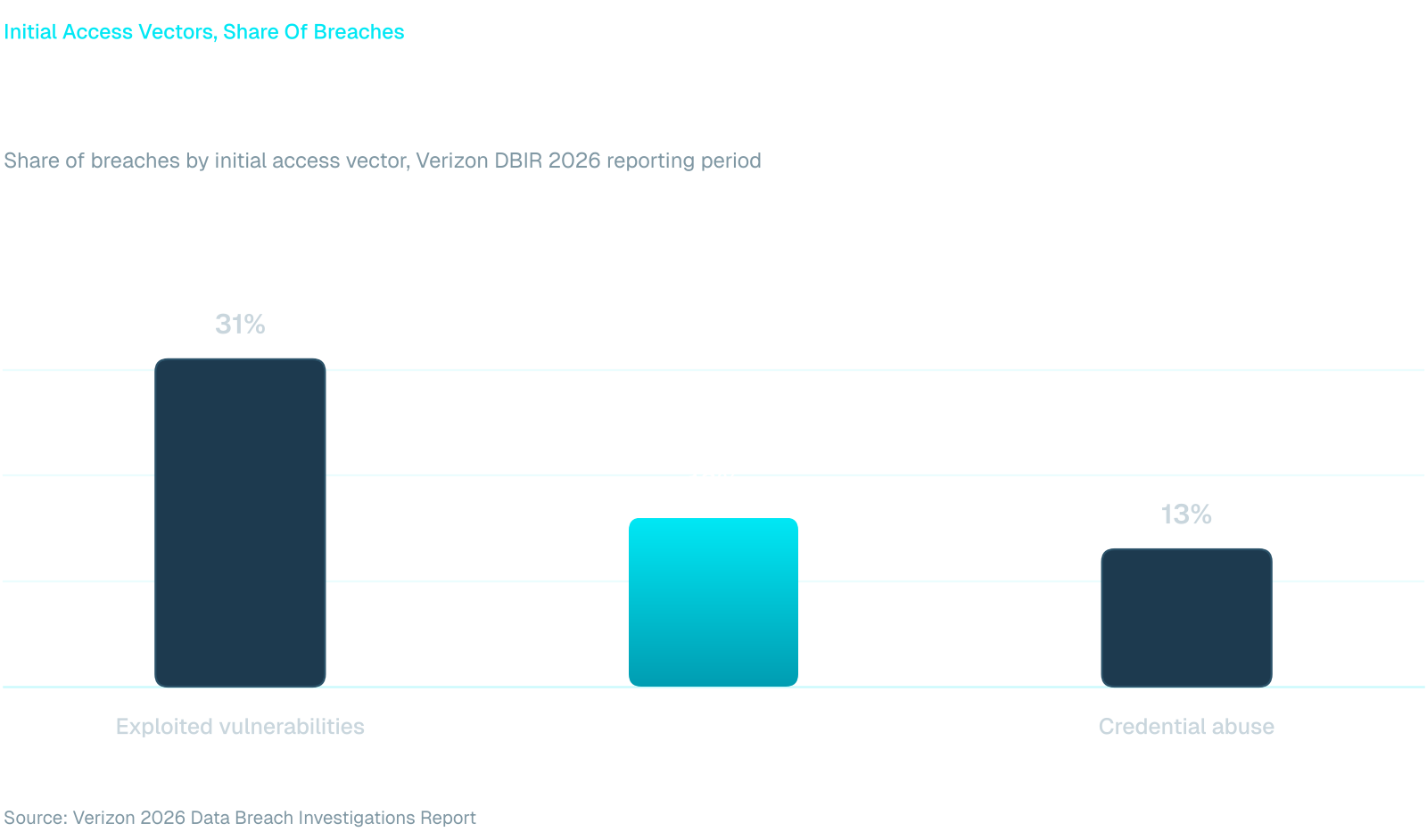
The signal behind a rule is rarely a surprise. The report's executive summary lists phishing as the way in for 16% of breaches, unchanged from the year before, behind vulnerability exploitation at 31% and ahead of credential abuse at 13%. Those figures describe the attacker's side. A rule describes your response, and the response is where most programs lose days.
Fraus builds that response as automation rules. The sections below follow the order in which a rule is written, run and trusted.
Triggers, Audiences and Actions
Triggers. Rules start from events in seven categories: simulation results, identity, endpoint, data loss prevention, directory, training and risk score events. The mix matters. A simulation result shows how someone behaved in a test, an identity or endpoint event shows what happened on a real system, and a risk score event shows that the overall picture has changed. How simulations themselves run is covered in automated phishing simulation.
Audiences. An audience is built from presets, departments, directory groups and named people. Pointing a rule at a directory group means it can follow a group you already maintain, instead of a list someone has to remember to update.
Actions. One rule can assign nudges, modules, videos, policies or posters, and notify role groups or the employee's manager. Keep each rule narrow. A rule that sends one nudge to one department after one kind of event is easy to explain and easy to switch off. For the moment a person shows risk, just-in-time coaching in Microsoft Teams covers the immediate response, and rules cover the policy around it.
Approval Gates, Chaining and Schedules
Some actions should never fire alone. In Fraus, higher-stakes actions such as step-up MFA or a finance approval hold always wait for analyst approval. That gate is what lets a security team accept automation for the routine work, because the consequential work still passes a person.
Chaining and escalation. A rule can chain into another and escalate when an action goes unacknowledged. A nudge that is ignored can become a note to the employee's manager. Write the escalation path before launch, and make sure it ends with a named owner rather than a shared inbox.
Scheduled rules. Not every rule waits for an event. Weekly, monthly, quarterly and annual schedules cover executive reports, policy re-attestation and risk score recalculation. These are the duties a calendar reminder used to carry, and they are the ones that slip in the month an audit arrives.
Recommend, Test, Then Trust
Writing rules from a blank page stalls programs. Odin proposes ready-to-apply rules, each with an estimated 30-day match count and its reasoning. The match count tells you how busy a rule would have been, which is the first thing an approver asks.
Before anything goes live, run the rule through test before you trust. It simulates an event and shows what would happen, so you read the outcome before an employee does. Test with the audience that would be most embarrassed by a wrong message, usually executives or finance, and check the rule against this list.
- The trigger names one event and one condition.
- The audience is a group someone owns.
- Any action touching access or payments goes to an analyst.
- The escalation path ends with a named person.
- The test event produced the result you expected.
When No Rule Covers the Event
Rules cover what you foresaw. For events no rule covers, agentic AI writes a contextual rule and acts, in one of three modes. Off keeps it from acting. Supervised sends each proposed action to approvers, who confirm by email. Unsupervised lets it act on its own, but only after a 30-day trial in which it still asks first.
Admin rules take priority over anything the agentic AI writes. Every rule is labeled by origin, so you can tell an analyst's rule from an AI-written one, and every agentic action is logged for audit. That record answers the question a CISO or auditor will ask sooner or later: who decided this, and when.
Start With Three Rules
Go back to the spreadsheet from the start. Pick the three follow-ups your team repeats most, write each as a trigger, an audience and an action, and test them. Keep the agentic AI in Supervised mode until the audit log has earned a case for more. Then see how the pieces fit together on the agentic automation rules page.
Frequently Asked Questions
What is security awareness automation?
It is the practice of letting rules run the follow-up work in a security awareness program. An event, such as a simulation result or a risk score change, triggers an action for a defined audience, such as a nudge, a module or a manager notification, without anyone sending it by hand.
What should a security awareness automation rule include?
Every rule needs a trigger, an audience and an action. Add an approval gate for anything that touches access or payments, an escalation step for actions nobody acknowledges, and a test before it goes live. Label the rule by origin so the audit log shows who or what created it.
Which actions should wait for an analyst?
In Fraus, higher-stakes actions such as step-up MFA or a finance approval hold always wait for analyst approval. Use the same test for your own rules: if a wrong action would block someone's access or delay a payment, a person should confirm it first.
What do Off, Supervised and Unsupervised mean?
They are the modes for agentic AI when no rule covers an event. Off means it does not act. Supervised means approvers confirm its proposed actions by email. Unsupervised means it acts on its own after a 30-day trial in which it still asks first. Every action is logged for audit.
.png)
.png)