.svg)
.svg)





.svg)

.svg)
.svg)



Picture an accounts clerk who clicks a fake invoice link one Tuesday morning and lands on a page saying it was a test. What that page says matters more than the click, because the lesson has the clerk's full attention for a few seconds. This guide is for the security awareness manager or HR and L&D partner at a UAE or GCC organization who runs phishing simulation training week to week.
In short: Treat the click as the start of the lesson. Give specific, blame-free feedback within seconds, follow with a short lesson in the person's language, test again later to see what stuck, and reward reporting so people tell you when they click.
What Phishing Simulation Training Covers
Phishing simulation training sends employees realistic but harmless phishing messages and uses what happens next to teach. The simulation is the prompt. The learning comes from the feedback, the lesson and the follow-up test that come after it.
It matters because people sit inside most breaches. Verizon's 2026 Data Breach Investigations Report, as covered by SecurityWeek, found that 62% of breaches involved a human element. A simulation is one of the few places where a team can watch a human decision as it happens and respond to it.
Measuring that takes more than a click rate. NIST built the Phish Scale to rate how hard a given simulated email is to spot, and its researchers note that numbers alone don't tell the whole story: click rates analyzed on their own can create a false sense of security. NIST recommends pairing the scale with feedback from users on why they clicked.
Programs that run once a year for compliance, or that end at a percentage on a dashboard, leave the most useful moment unused. A program built around the click uses it, and the sections below follow that moment from the first seconds to the next simulation.
The Seconds After the Click
The feedback has to arrive while the decision is still fresh, so the landing page does the first piece of teaching. It should say plainly that this was a simulation, that nothing was taken and that clicking is common. Then it should point at the email the person just acted on.
Specific feedback beats a general warning. "Watch out for suspicious emails" gives the clerk nothing to use, while "the sender domain differed by one letter and the message asked for payment before month end" gives a cue for next Tuesday. The Phish Scale rests on the same idea, rating the cues in a message and how well its premise fits the people who receive it.
A good post-click page holds four things:
- A calm opening line, with no scolding and no score
- The two or three cues in that exact email, shown beside the email
- One action for next time, which is how to report a message like this
- A reading time under a minute, so it works between tasks
A page like that starts the learning, but a lesson only lasts if something follows it in the days after.
The Days After: Lesson and Recheck
Within a day or two, the person who clicked should get a short follow-up lesson on the lure they fell for, in the language they work in. Three to five minutes is enough when it covers one idea, such as urgent payment requests or fake login pages.
Codex delivers security awareness training as micro-learning in Arabic and English, and Zero-Touch Training can assign it automatically when a person's behavior shows a gap, so the follow-up does not wait for someone's calendar.
Then close the loop with a later simulation. Choose a different lure at a similar difficulty, so a better result reflects learning and not an easier email, and leave a few weeks between the two so it tests what stuck rather than what the person remembers from last week.
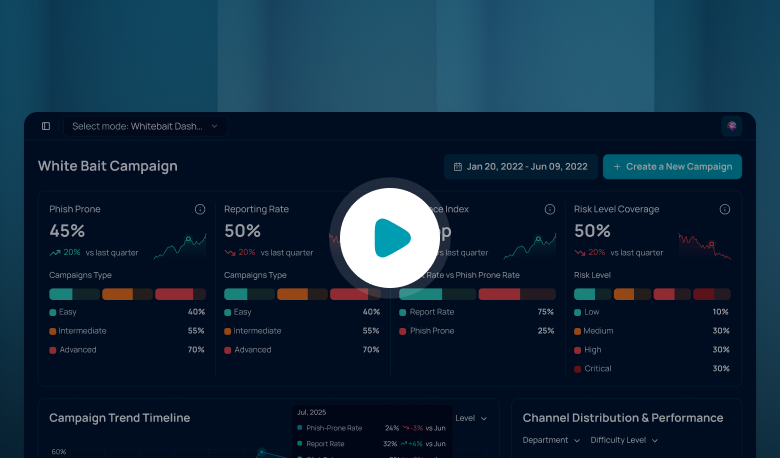
Judge the recheck on reporting as well as clicking. Someone who spots the second lure and reports it has shown more than someone who happened not to click. In Whitebait, reporting rate is tracked next to click rate, so the recheck shows both.
Building the Reporting Habit
A click happens once. Reporting is a habit, and the data shows how much room there is to build it. In security awareness exercise data contributed during 2023 to Verizon's 2024 Data Breach Investigations Report, 20% of users reported phishing in simulation engagements, and 11% of the users who clicked the email also reported it.
So in those exercises, most people who clicked did not report it. That silence costs the most when the email is real, because the security team hears about it late. The UK National Cyber Security Centre (NCSC) is direct about the cause in its phishing guidance: "Users who fear reprisals will not report mistakes promptly, if at all." It asks organizations to help people feel supported in coming forward even after a click.
In the UAE, the Cyber Security Council has said that more than 75 percent of cyber breaches begin with phishing emails or fraudulent messages, as reported by Gulf Today. It also urges people to report phishing attempts promptly, so that response teams can analyze threats and take preventive measures.
Four habits make that prompt report more likely:
- Make reporting one tap. The Fraus Teams App gives employees one-tap phish reporting inside Microsoft Teams
- Thank every reporter within a day, including people who clicked first
- Tell them what happened to the report, since the NCSC advises giving quick feedback on the action taken
- Track reporting rate and time to report next to click rate, as in our board KPIs post
Each habit depends on how people expect to be treated when they admit a mistake, which is a question of tone more than tooling.
Coaching, Language and Shift Work
Discipline teaches people to hide mistakes, so coaching has to be the default. The NCSC advises avoiding a punishment or blame-oriented culture around phishing and says blaming users for clicking doesn't work. Agree one line with HR before the first campaign: a click in a simulation is a coaching moment, not a disciplinary one.
Repeat clicks lead to a conversation and extra support, and the same support goes to roles that attract more attacks, such as payments and customer contact.
Language is part of the tone. If an employee works in Arabic, the post-click page, the follow-up lesson and the wording of the report button should be in Arabic too, because feedback the person has to translate in their head loses the seconds it depends on. Where teams work in both languages, let each person choose and keep the explanation of the cues the same in both.
Shift workers set the time limit. A nurse or a site supervisor may have a few minutes between tasks and no free hour. Keep each lesson to one idea that finishes in a break, send simulations across all shifts and not only office hours, and make sure the report route works from the device the person actually carries.
A First Month That Closes the Loop
Back to the accounts clerk on Tuesday morning. The best outcome the next time a fake invoice arrives is a report within minutes, and that outcome is built from small decisions you can make this month.
Rewrite the post-click page so it names the cues in the email. Pick one follow-up lesson for each lure type, in Arabic and English. Put the coaching-not-discipline line in writing with HR. Make reporting rate and time to report the headline numbers for your next simulation, and recheck anyone who clicked a few weeks later.
Start with the page people see after the click. Every employee will see it, and it is the cheapest part of the program to improve.
Frequently Asked Questions
What is phishing simulation training?
Phishing simulation training sends employees realistic, harmless phishing messages and uses their responses to teach. It combines the simulation with immediate feedback, a short follow-up lesson and later simulations that check what stuck. Done well, it measures reporting as well as clicking, so you see whether people recognize and escalate threats and not only whether they avoided one.
What should happen when an employee clicks a phishing simulation?
Within seconds, a calm page explains that it was a test, shows the cues in that exact email and says how to report next time. Within a day or two, a short lesson in the employee's language follows. A few weeks later, a different simulation at similar difficulty checks that the lesson stuck, and a report counts as a success.
How do you build a culture where employees report phishing?
Make reporting one tap, thank people quickly and tell them what happened to their report. The NCSC advises supporting people who come forward even after clicking, and measuring how many people reported, not only how many clicked. HR and leaders need to say the same thing: reporting is welcome and a click is a coaching moment.
Should employees be disciplined for failing phishing tests?
As a rule, no. The NCSC advises avoiding a punishment or blame-oriented culture around phishing and warns that users who fear reprisals will not report mistakes promptly, if at all. Treat a simulated click as a coaching moment, give repeat clickers a conversation and extra support, and agree with HR in advance how any real policy breach is handled separately.
.png)

.png)
.png)