.svg)
.svg)





.svg)

.svg)
.svg)



Picture a finance clerk opening the calendar before a Monday payment run. Between two real meetings sits an event nobody accepted, "Final Notice: Payroll Acknowledgment Required," with a link in the description, and nothing was clicked or downloaded to put it there. This is calendar phishing, and this post is for security awareness managers in the UAE and GCC who need to explain it to staff and test for it.
In short: Calendar phishing puts a fake event on a calendar through an invite file, so staff meet it inside a trusted app. Train people to treat unexpected invites like unexpected email, report them, and test them with realistic simulations.
How Calendar Phishing Works
Attackers email a calendar file, usually with the .ics extension, and the event can land on the recipient's calendar without any action from them, as an IT security notice from a New York college describes. Because the event sits inside an app people trust, and the invite can get past email filters, it is harder to spot than a message in a spam folder.
The event itself carries the lure. Titles borrow urgency from finance, such as an invoice, an overdue payment or a crypto purchase, and the description pushes the reader to click a link, open a file or call a phone number, as a university warning from October 2025 lays out. Some invites appear to come from the organization's own domain while the real sender is someone else.
That makes calendar invite phishing a different problem from the phishing email staff already learn to distrust. The reader never decides to open anything. The first decision they make is what to do with an event that is already there.
Why ICS Phishing Reaches Staff Unchecked
Many calendar apps can add invitations on their own, which is why these events often appear without the recipient doing anything, as the college notice puts it. So the setting that decides whether a fake invite appears at all often belongs to IT, not to the employee.
The New York college changed its domain-wide settings so that invitations from external senders staff had never interacted with no longer appear until they accept them. It still asked staff to set their own calendars to add invitations only if the sender is known. Settings cut the volume. A person still has to judge what remains, including invites that look like they come from inside the organization.
Attackers are also moving away from the inbox in general. The 2026 Verizon Data Breach Investigations Report reports that mobile social engineering, such as fake texts and voice calls, has a success rate 40% higher than traditional email phishing. A calendar event is another place outside the inbox where a lure can arrive, and an invite that asks the reader to call a number borrows the same phone-based pressure.

What Malicious Meeting Invitations Look Like
The warnings from the college and the university list the same few signs. Staff can check them in seconds:
- An organizer they do not know, or a familiar name with an address that does not match
- Money words in the title: invoice, overdue payment, payroll, crypto
- Urgent wording such as "payment will be processed within hours"
- A link or attachment that asks for login details
- A phone number in the description
None of this needs technical knowledge. It needs a pause, and the pause is what training has to build, because an event already on the calendar feels as if someone has accepted it.
Train Staff to Spot Fake Invites
Teach the report path first. Both institutions tell staff not to click links, open attachments or call numbers in an unexpected event, and to report it as spam before deleting it. Staff need that exact sequence in the language they work in, on the calendar they use. Codex delivers micro-learning in Arabic and English for this kind of habit.
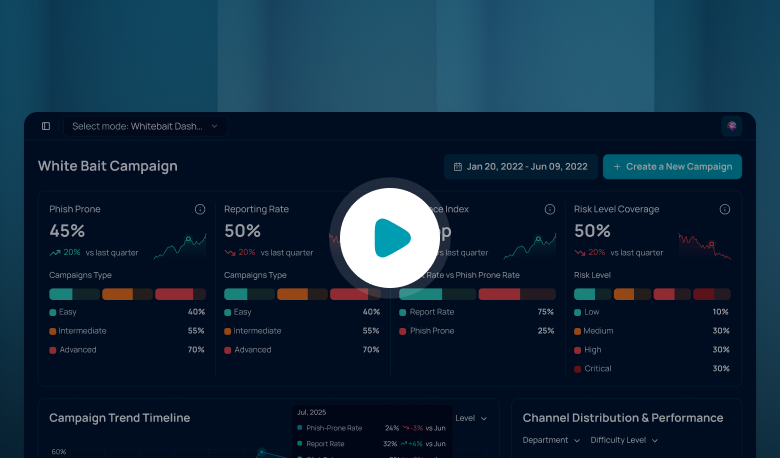
Simulate the channel. Training explains the risk. A simulation shows what people do when an invite appears on a Monday morning. Whitebait runs phishing simulation for UAE and GCC organizations in Arabic and English and tracks the reporting rate next to the click rate, which is the pair of numbers to read after an invite test. Base the invite on a real example from a public warning.
Match the lure to the role. A finance clerk sees invoice and payment invites, an HR officer sees payroll acknowledgements, and an executive assistant who manages other people's calendars accepts invites all day. Each role needs its own version of the test.
Calendar invites are one of several places where a fake request arrives inside a trusted app. Our post on fake helpdesk chats in workplace messaging covers one of the others, and the post on AI phishing attacks covers how better written lures change what employees see.
Run One Calendar Test This Month
Go back to the finance clerk's Monday. Ask IT whether invitations from unknown senders add themselves to calendars in your organization, and set the known-senders rule if you can. Then send one simulated invite to a single team and compare how many people report it with how many click. The result shows which team needs training first.
Frequently Asked Questions
What is calendar phishing?
Calendar phishing uses a calendar invite, often an .ics file, to place a fake event on a victim's calendar. The title creates urgency, and the description holds a link, an attachment or a phone number. Because the event appears inside a trusted app, staff may trust it more than a suspicious email.
Can a malicious invite do harm without a click?
The fake event can appear without any action from the recipient, but the harm starts when someone clicks a link, opens an attachment or calls the number in it. Staff who leave the event alone and report it have avoided that lure, which is why reporting habits matter more than spotting every invite.
How can IT reduce calendar invite phishing?
Check whether your calendar platform adds invitations automatically and which option it uses. Where it is available, limit automatic additions to known senders so that events from strangers do not appear until someone accepts them. Administrators can often apply this across the whole organization, as the New York college did for external senders.
What should an employee do with a suspicious invite?
Do not click links, open attachments or call numbers in the event. Report it as spam using the calendar's report option, then delete it. If they already clicked or entered credentials, they should reset the password at once and contact the security team.
How do you test staff for ICS phishing?
Send a simulated invite with a realistic title and link to a small group chosen by role, such as finance or HR. Measure how many people report it next to how many click, then repeat with a different lure so staff learn the pattern and not one wording.
.png)
.png)
.png)